
Key Takeaways
- Explain AI Simply: I describe AI to children as computers that can learn, think, and solve problems, similar to a friendly robot companion. It’s a “pattern-spotting tool,” not a “magic brain” or a person.
- Start with Unplugged Fun: You don’t need a screen to teach the core concepts of AI. I use “unplugged” mini-projects like sorting animal picture cards or simple logic games to show how patterns work. This builds computational thinking without adding screen time.
- Connect to Daily Life: I challenge kids to identify AI in common tools like smart speakers, cameras, and search engines. Asking “how do you think it knows that?” makes the abstract concept of AI concrete and understandable.
- Use AI as a Creative Partner, Not a Crutch: I employ AI as a creative collaborator for illustrations, compositions, and narratives. We combine screen-free art time with secure AI-driven tools so children can generate ideas and then construct them with markers, clay, or instruments.
- Focus on Ethics from Day One: I weave ethics into all our projects by discussing fairness, privacy, and responsibility. We define family data-sharing rules, address myths versus real AI boundaries, and honor uniquely human superpowers like empathy and imagination.
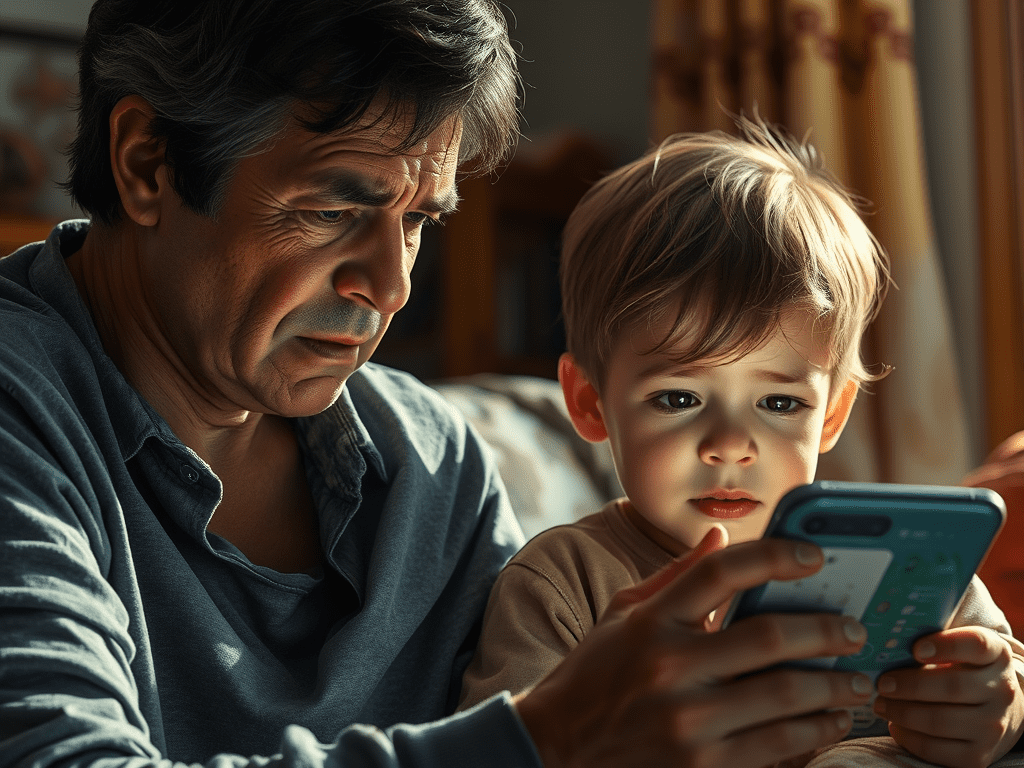
As a preschool teacher turned mom, I hear the same worries every week: too much screen time, confusion about AI, and schools moving slowly. Parents feel this cocktail of excitement and hesitance. You want your child to be curious and future-ready, but not glued to a device or misled by tech you don’t fully trust. It’s totally understandable.
To de-stress, I center on playful learning that fosters forward-thinking in a screen-free way. What is AI for kids? For me, it’s a soft, child-friendly introduction to the fact that AI is a pattern-spotting tool, not an oracle.
We founded SafeAIKids as a special antidote—trusted, Scandi-inspired workbooks that foster curiosity, integrity, and human ingenuity. My goal is to help you feel at ease and empowered. In the guide below, I explain what you need to know and offer simple tips you can implement right now.
What is AI for Kids? A Simple Definition
So, what is AI for kids? At its simplest, I explain that AI (Artificial Intelligence) is when machines and computers get smart, think, and solve problems like humans.
For kids, I put it as kind “intelligent minions” that detect trends, not reality, and utilize those trends to predict what to say, present, or perform. This is the core ai definition for kids: AI is a pattern-spotter.
Kids encounter AI every day—robot vacuums, chatbots, smart speakers, game characters—largely without knowing. When used right, it is a joyful portal into STEM, creativity, and critical thinking, with human values in the driver’s seat.
To make this concept real, I break it down into five simple areas.
1. Smart Helpers
This is the most common way our kids “meet” AI. When my daughter asked, ‘Why is the moon bright?’ and our smart speaker responded, she encountered AI listening for her voice and transforming it into an answer.
I approach AI as a clever assistant that responds to queries and voice instructions. Voice assistants such as Siri and Alexa obey basic instructions, initiate timers, and even pronounce difficult words. This is useful for hectic mornings!
At home, robots and smart devices automatically do small jobs. A robot vacuum “maps” a room and learns better routes as it goes along. That’s pattern recognition at work, not magic.
How to teach this: I threw out easy challenges such as requesting a voice assistant to set a timer, play music, or tell a joke, (counting on an adult presence). Then, I have kids experiment by querying the digital assistant with a factual question, and then consult a book so they find AI is a useful collaborator, not the oracle.
2. Learning Machines
This part answers the question, “how does ai work for kids?“. I explain that AI systems learn from data the way kids learn from practice: many tries, feedback, then improvement.
That’s machine learning, a form of AI where computers get better without being specifically programmed every step of the way. I demonstrate that AI trains on data like kids train on drills.
I liken it to exposing a computer to thousands of animal images. Eventually, it detects ears, tails, patterns and predicts ‘cat’ or ‘zebra’. With more examples, the predictions get more accurate.
This concept is powerful because it blends all four STEM areas: math for patterns, technology for tools, engineering for building systems, and science for testing ideas.
How to teach this: I attempt mini-projects such as categorizing animal picture cards or training a basic model with familiar images or noises to observe patterns in motion. Even a simple kid-made chatbot… can train on answering ‘How are you?’ or ‘What’s your favorite food?’ and then improve as you tweak the samples, just as a child practices math problems to become fluent.
3. Creative Partners
This is where many parents see generative ai for kids and feel worried. I see generative AI as a catalyst, not a replacement.
Kids can try out drawing tools that transform a sketch into a colorful scene or music generators that convert a clap of rhythm into a tune. This can include ai story generator for kids or an ai music generator for kids.
The key is equilibrium. We construct initially on paper. For example, I combine screen-free art time with secure AI-driven tools so children can generate ideas and then construct them with markers, clay, or instruments. Their human imagination always leads the way.
How to teach this: My SafeAIKids, screen-free, Scandi-designed workbooks nurture the core skills behind AI: patterns, sequences, careful noticing, without a single glowing pixel. This is the safest, most effective way to start.
4. Problem Solvers
AI is also a powerful tool for solving big, complex puzzles. I explain that AI beats puzzles by testing lots of moves quickly, similar to a chess engine discovering a checkmate line.
It can scan massive data sets looking for patterns that people would overlook, which is why weather and traffic tools seem so prescient. In healthcare, AI helps doctors by flagging abnormal patterns in images and recommending options. But I always add the most important part: Humans decide.
How to teach this: I ask kids: Which real-world problem could a “smart helper” tackle—clean water, safer roads, or reducing food waste? This frames AI as a tool for helping people, not replacing them.
5. Digital Senses
This concept helps kids understand how AI interacts with the world. AI ‘sees’ with cameras and computer vision, ‘hears’ with microphones and speech recognition, and ties it together with language tools that feel conversational71.
Face unlock on a phone or auto photo tagging are perfect examples. These systems detect features and match them to known patterns.
How to teach this: While these tools are impressive, I caution youngsters that AI models learn feelings imperfectly. Truthfulness, generosity, and human originality remain in control.
Why AI Matters Now: A New Kind of “Future-Proof”
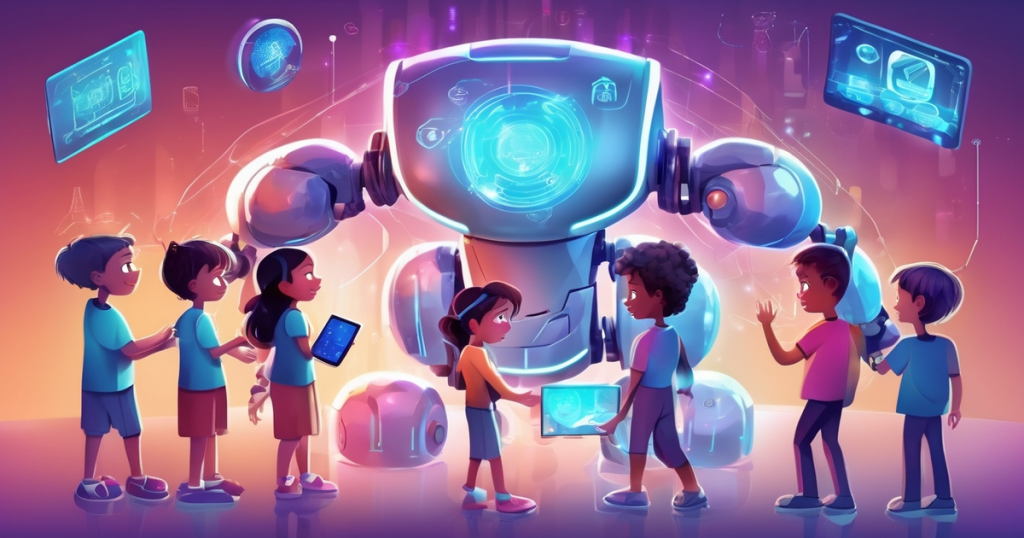
AI isn’t fringe anymore. It’s how work, play, and communication occur. That matters for our kids as early exposure creates calm confidence, not confusion.
I want my kids to view AI as prompts to probe, not facts to regurgitate, so they mature into conscientious netizens who appreciate integrity, compassion, and human ingenuity.
Future Skills: More Than Just Coding
I hear the same worry everywhere: too much screen time, not enough real learning. It’s totally natural to be ambivalent. But when kids get the fundamentals early, they build skills for life.
And I don’t just mean ai coding for kids. The real skills are computational thinking, data exploration, and problem-solving. I’ve observed my son shine when he debugged a basic robot routine. That miniature victory cultivated grit more than any app ever could.
We can encourage low-pressure exposure:
- AI Classes and Courses: Look for ai courses for kids or an ai class for kids that is project-based and emphasizes ethics.
- Camps: An ai camp for kids or ai summer camp for kids can be a great, collaborative way to learn.
- At Home: You can start with simple, kid-friendly coding games or a project journal to monitor achievements.
I remind my kids that AI is helpful, but people teach values. This leads to a new world of jobs.
Career paths to spark curiosity:
- Robotics Engineer
- Data Scientist
- Machine Learning Developer
- AI Ethicist (a crucial new role!)
- UX Researcher for AI tools
- Educational Technologist
- Healthcare Analyst
You can create a simple table at home: one column for “AI job,” one for “key skills” (coding basics, data sense, ethics, teamwork, communication). Stick it on the fridge to keep goals in sight.
Daily Life: AI is Already in Your Home
I hear from parents all the time that they had no idea AI was already in their home. Most don’t—just one in four parents of teens using AI say they’re aware.
AI suggests shows on streaming services, filters photos on our phones, and helps autonomous cars stay in lane. It fuels search engines, autosuggestions, and those charming little digital assistants our kids wave hello to. This includes devices like alexa ai for kids.
These AI agents—virtual assistants and chatbots—generate fresh engagements that seem trustworthy, occasionally more so than humans, and that may impact social and emotional development in ways we don’t yet comprehend.
That’s why I stop with my kids and ask, “Why do you think it suggested that?” We discuss trends, promotions, and options. That small practice fosters critical thinking and keeps curiosity human-driven.
Creative Tools: Inspiration, Not a Hack
I heart AI as an inspiration, not a hack. AI-guided drawing, music, and storytelling apps can keep up with a child’s interests and pace, gently pushing them to experiment with new concepts without hijacking their voice.
Handled well, it’s a gentle entry point that allows the crayons, scissors, and imagination to remain at play on the table.
- Drawing: Tools that turn pencil sketches into stylized art while preserving a child’s lines.
- Music: Apps that loop rhythms and suggest harmonies so kids hear structure.
- Storytelling: Copilots that prompt “what if” questions and expand vocabulary.
- Game Kits: Block-based builders that teach logic and sequencing.
Start the AI Conversation: How to Teach Kids AI
It’s totally natural to be uncertain about when and how to discuss AI. I hear the same worries: too much screen time, confusing jargon, schools moving slowly. This is how to teach kids ai in a way that feels natural and safe.
I begin the AI conversation in early elementary so my kids don’t hear about AI first from a friend or pop-up. I keep it simple: AI spots patterns in data to make guesses. It isn’t truth110.
I carve out 30 minutes a week to learn a tool myself, so I can shepherd our chats with assurance. And I remind them that we still spend tons of time outside with actual humans because human connection is priority one.
1. Storytelling (The “What If”)
I talk about helpful robots, AI pets, or intelligent brooms to clarify pattern-finding.
- Example: “An AI lantern learns when the path gets dark and brightens gently. It asks a person for help when it sees water.” This creates the lifestyle where humans drive, and technology supports.
- Ask Them: “If you created an AI assistant, what would it observe? What rule would it follow?”.
This is also a great time to explore books on ai for kids.
- The Wild Robot (book): A robot learns empathy and makes choices in nature.
- Big Hero 6 (movie): Smart tech helps, and friends and values lead.
- Wall-E (movie): Machines follow orders. Humans determine what counts.
2. Everyday Tech (The “Aha!” Moment)
I point to familiar devices: tablets, phones, and smart speakers that turn speech into text, translate languages, or suggest photos.
- Try This: We try a voice assistant to set a reminder, then discuss: “It recognized your words because it learned many speech patterns”.
- Fact-Check: We treat photo filters and predictive text as pattern guesses, not reality. When we do translation, we run meaning against a dictionary… to demonstrate fact-checking in action.
This also helps address the concern of kids using ai for homework. When my kid queries AI for homework or feelings, I tell him that while some tools are good for brainstorming or naming emotions, they’re not doctors, teachers, or parents.
We share a family rule: short sessions, an adult nearby, and a reflection question—“What did it do well, and where do humans decide?” This positions AI as a companion, not a substitute.
3. Simple Games (Digital & Unplugged)
This is a fantastic way to introduce ai activities for kids and ai games for kids.
- Unplugged: Classic board games like Guess Who? reveal decision trees. Each yes/no answer narrows choices, just like an AI classifier.
- Digital (Free Tools):
- Quick, Draw!: Draw a cat or a bicycle in 20 seconds. The AI guesses by comparing your sketch to thousands of examples. This is perfect for illustrating pattern matching.
- AutoDraw: Doodle anything. The AI suggests refined icons, showing how models map messy input to known shapes.
- Teachable Machine: Train a tiny model with your own images or sounds. Kids get to witness why more data makes a model more accurate and why diversity of examples is important.
- Google Translate Camera: Set up a family “sign hunt” challenge. Label items in your kitchen and cross-check meaning with another source to practice healthy skepticism.
We come back to that AI uses patterns to predict, while people add imagination and empathy.
Hands-On AI Activities: The Screen-Free Path

A quiet, screen-lit trail is not the only way. You can transform “What is AI?” into hands-on fun at your dinner table. I craft these so kids get the concepts with their hands, not just their eyes. Hands-on AI works online and offline… and builds real skills—critical thinking, problem-solving, and creativity—without hype.
Unplugged Fun (The Core of My Philosophy)
If you’re concerned about additional screen time, you’re not alone. This is why I always start offline. These are the best screen-free activities for kids to teach AI logic.
- “Robot” Sorting Game: I start offline: role-play how an “AI” (your child) sorts toys by rule—color, size, or shape—and then change the rule mid-game to show how models need new instructions. It’s foolish, fast, and forceful.
- DIY Training Data: Paper, cards or blocks turn into data. I create “training cards” featuring animal images and allow children to craft labels and basic “if–then” arrows. We talk about computer vision at a child’s level: “What features help us tell a cat from a dog?”.
- ‘AI Detective’: This is a hit! I come up with a secret rule such as ‘objects with three sides.’ Kids make guesses, collect evidence, and update hypotheses, which is an unplugged reflection of machine learning.
- Craft Your Own Bot: Craft time does the trick as well. Kids draw or construct a magical aide that is nice, truthful, and useful and describe its “policies”. We emphasize values and they get early design thinking experience.
- Train a tiny model with your own images or sounds using Google’s Teachable Machine.
Pressed for time? This is why my SafeAIKids workbooks exist. They do the curation for you. Screen-free, Scandi-designed pages guide unplugged sorting games, “detective” puzzles, and values-first robot design prompts. They are the most secure, most intelligent foothold in the AI era.
Digital Playgrounds (When You’re Ready)
When you’re ready for thoughtful screen time, I opt for reputable sites educating through games. My short list includes block-based coding sites with AI add-ons (like Scratch , code.org), beginner “teachable machine” tools… and kid-friendly sandboxes.
Most come with curated challenges spanning AI subjects—computer vision, ML, and even generative UI—so a 5-year-old can sort shapes while an older sibling prototypes a chatbot.
You stay in the driver’s seat: set short sessions, stay nearby, and keep curiosity the goal, not perfection.
Home Experiments (Combining Both Worlds)
At home, I lead kids to prototype with household materials.
- Tape a “robot path” on the floor (1 meter, 0.5 meter turns), place obstacles and follow step-by-step “instructions” cards to mimic algorithms.
- Team up: one child is the “sensor,” one the “planner,” one the “mover”. That shared build is what makes the learning stick.
- Train a “Noise Bot”: When screens come in handy, we teach a teachable machine with familial noises—claps, whistles—or images of red vs. blue blocks.
- Keep a Journal: We record results in a simple journal: date, data used, what changed, what we noticed. Kids witness data, not speculation.
AI Ethics Together: The Most Important Conversation

This is the part that keeps parents up at night. I hear the quiet worry: you want your child curious, not misled by tech you don’t fully trust. This section tackles the big questions: is ai safe for kids, is ai bad for kids, and how to teach ai ethics for kids and It’s why trusted parent-focused organizations like Common Sense Media have published extensive guides on AI’s impact on children.
AI can be a safe gateway if we construct ethics in from the beginning. I frame it around the pillars I teach at home and in my classroom: accountability, privacy, bias, and transparency.
This also applies to specific tools. Parents often ask me, “is character ai safe for kids?” or “is poly ai safe for kids?“. My answer is always the same: no AI is “safe” without a human guide. These tools are trained on vast, unvetted internet data and can produce inappropriate content. They are not designed for children and require active adult supervision and conversation. This is why I advocate for closed, simple, screen-free tools first.
1. Fairness (Addressing Bias)
AI can make unjust decisions when trained on incomplete or biased information. A recommendation tool could display more books to one group of children than another based on what it previously “saw”.
That’s not meanness; it’s patterns misread as truth, which is why I repeat: AI is patterns, not truth.
How to teach this: We discuss justice when they engineer small AI experiments down on paper. If their ‘robot referee’ scores goals only for red-shirted players, we question Then we adjust the guidelines and data until results seem just. I’ll also present my sons with a pair of picture sets, one diverse and the other not, and contrast responses. It clicks quickly.
2. Privacy (Data is Precious)
I teach my kids a simple rule: names, address, school, faces, and voices are precious.
A lot of AI tools gather data, store chats, and some LLMs (Large Language Models) might save convos as training data that can be used or shared down the line.
How to teach this: We establish household guidelines—no posting friends’ pictures, voiceprints, or homework outlines containing private information. We role-play: “A friendly app offers stickers if you say your full name—safe or not?” We discuss impersonation risks: AI can mimic people or brands, share others’ work without credit, and push opinions.
This is why with screen-free… SafeAIKids workbooks we practice privacy choices offline, then live them online.
3. Responsibility (Humans are in Charge)
Responsible AI at home means clear boundaries. I oversee tools, place timers and authorize downloads. My kid vows kindness, citing sources, and halting if something doesn’t feel right.
How to teach this: We debate “what-ifs” at dinner: Should an AI art app post a classmate’s picture? What if a chatbot tells different things to different kids? These scenario discussions develop critical thinking and resilience.
When schools deploy AI, I request clear grading rubrics aligned with tool constraints and choices, so my kid grasps the reason behind a grade. Ethics must steer every step.
Beyond the Hype: Separating AI Fact from Fiction
(Image Alt Text: A close-up of a sophisticated, metallic robotic hand reaching out, palm up, symbolizing the connection between humanity and technology.)
I hear the same worry everywhere: confusing AI headlines. As a mom and with years of teaching under my belt, I sift through the noise to find what really helps your kid.
AI is a pattern tool, not a truth tool. When we introduce it safely and screen-free, kids remain curious and creative.
AI Myths vs. Reality
Parents tell me they’re afraid AI is going to take all the jobs. I don’t. Most AI today is ‘narrow,’ constructed to perform a defined task, not to think like a human. Sci-fi provides AI with emotions and intentions. Actual instruments identify data trends.
My kids love when I say this out loud: “A robot can suggest ideas. You alone determine what’s gentle, just, and honest”.
Here are some common ai facts for kids and parents:
| Myth | What’s True |
| “AI will replace all jobs.” | AI automates tasks; humans lead with judgment, ethics, and care. New roles (like AI Ethicist) emerge. |
| “AI understands feelings.” | It detects patterns in words; it doesn’t feel empathy or context. |
| “AI is always right.” | It makes mistakes (“hallucinations”) and reflects its training data. It needs human oversight. |
| “AI learns like a child.” | It trains on huge datasets, not lived experience, social connection, or play. |
AI Limits (Where Humans Win)
AI is no good at subtle feelings, ambiguous creative work, and brittle, real-world context—precisely the areas in which children excel.
When it comes to adaptability, intuition, and values, humans triumph. In education, AI-assisted learning remains a distant second to profound human connection. If kids rely on it for direct task accomplishing, their transversal skills—problem-solving, critical thinking—plateau.
For ages 3–8, the surest road is actually doing with explicit guidance, then whimsical metacognition (thinking about how we think). That’s the heart of our Scandi-designed, screen-free pages: sort by attributes, predict outcomes, test ideas, then discuss choices. Keep AI in its lane.
Human Strengths (Our Superpower)
Empathy, imagination, and ethical judgment are human. When I watched my son comfort a classmate after a mistake, I saw the future of work: people leading with compassion and tools supporting the heavy lifting.
I show kids how to combine human strengths with AI’s pattern assistance.
- Try This: Co-create a story: your child picks the theme (imagination), AI suggests twists (pattern-matching), your child edits for voice and kindness (empathy and judgment). Now that’s a team effort.
AI may tailor a trail, but humans instruct significance. Our workbooks make this simple: screen-free puzzles grow pattern sense, prompts invite reflection, and parent tips guide conversations about fairness and truth.
Conclusion: A Calm, Screen-Free Path Forward
I’m familiar with the pull of screens, the AI news reports, and the concern about getting it “right”. It’s totally understandable to experience that cocktail of excitement and hesitance.
I’ve witnessed what can happen to kids when AI is presented as patterns to investigate, not facts to obey. That maintains wonder and creativity at the forefront.
For hectic days, I fall back on our SafeAIKids workbooks. They’re screen-free, gorgeously crafted, and subtly construct future-proof skills via playful learning. You steer the discussion. Your kid learns integrity and good-heartedness and how to interrogate results.
I sense relief in parents’ faces and pride in kids’ eyes. You’re providing your child the most secure, wisest beginning in the AI era.
[Primary CTA Button] Download a FREE Sample Workbook
[Secondary CTA Link] Explore Our Critical Thinking Workbooks
Frequently Asked Questions
What is AI for kids?
I call AI for kids easy, age-appropriate ways to learn how machines learn, spot patterns and predict. I utilize concrete instances, such as categorizing images or instructing a computer to identify forms to foster interest and foundational fluency.
Why should I teach my child about AI now?
I teach AI now because it’s built into daily life, such as search, translation, and recommendations. Early exposure fosters critical thinking, creativity, and digital safety. It gets kids ready for future college and careers without requiring high-level math upfront.
How do I start the AI conversation with my child?
I start with everyday examples: “How does this app suggest videos?” Then, I break down data and patterns in layman’s terms. I welcome questions, set truthful expectations, and concentrate on humans creating and directing AI, not sorcery.
What hands-on AI activities work at home?
I use quick projects: train a model with photos using Teachable Machine, build a chatbot with preset responses, or sort objects by features. Most importantly, I pair these with unplugged activities, such as sorting and pattern games and logic puzzles, to develop robust foundations. I keep sessions short, celebrate every mistake, and talk about what the system learned and what it missed.
How do I teach AI ethics and safety?
I simply model responsible use. I cover bias, privacy, consent, and source credit. We test outputs, fact-check, and don’t share personal info. I discuss that humans create AI and humans need to make ethical, secure decisions.
How do I separate AI hype from reality?
I contrast assertions with exhibitions. I demonstrate where AI excels in classification and translation and where it falls short in context and nuance. I discuss limitations, data quality, and the requirement for human oversight. I care about skills, not buzzwords.
What beginner tools do I recommend?
I suggest block-based coding (Scratch), kid-friendly AI demos (Teachable Machine), and curated lessons from museums or public libraries. I always pair these with unplugged activities, such as sorting and pattern games and logic puzzles, to develop robust foundations.